Roll cursor over data fields below for more info
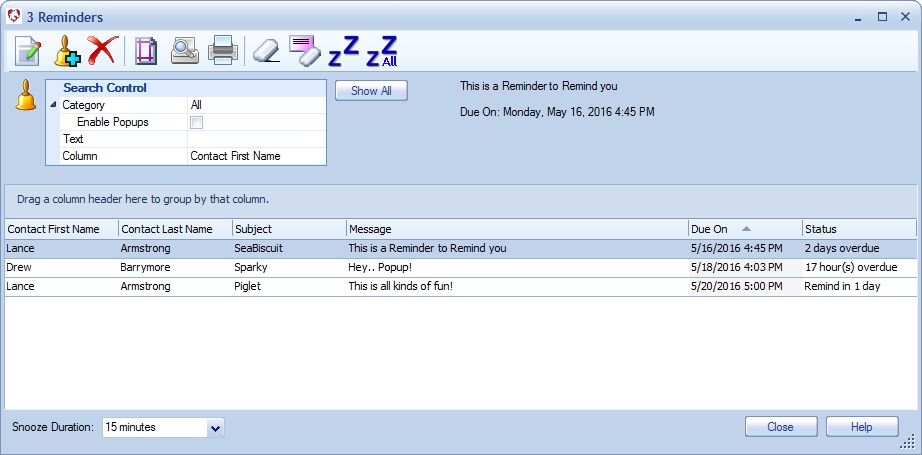
| Overview- Manage all reminders in the system.
Search control- Search for specific reminders and by category. You may enable or disable popup display for any and all types of reminder categories by checking the associated category box. Customize according to preference. Show All or Show Popups button- Toggles the view from all reminders to only those with popups. Preview area- Displays a preview of the currently selected Reminder. Snooze duration- Set the duration of the snooze feature. Snoozed reminders will not popup until the snooze period has elapsed. |
|
We
collect information from you when you register on our site or fill out
a form.
By using our site, you consent to our website privacy policy.