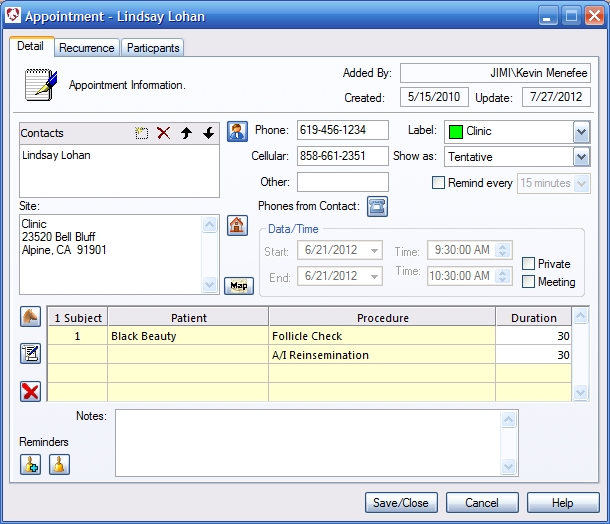
Roll cursor over data fields below for more info
|
Added By- Computer generated-Shows who created record
Created- Computer generated - shows when record was created Update- Computer generated - shows when record was last altered Contacts Window- Displays the contacts that have been selected for this appointment. Text box- Allows the user to enter text instead of selecting from the contact list. Use X to remove an entry - use up down arrows to move a contact up or down in the list. Contact Button- Click here to open contact selection dialog. Phone Fields- Enter phone numbers here or click Phones From Contact to populate the fields with the phone numbers of the of the selected contact. Label- Allows you to color code each appointment according to your pre set choices. Right click on the down arrow to add or edit choices. Show as- Adds a stripe to the left side of the appointment in the calendar view to give the user even more scheduling information at a glance. Reminder- Click here and set the timer. You will be remindeded of your appointment. Site - Displays the location for the appointment. This can be automatically generated as the contact, subject, or the company location. |
 |
We collect information from you when you register on our site or fill out a form.
By using our site, you consent to our website privacy policy.