Roll cursor over data fields below for more info
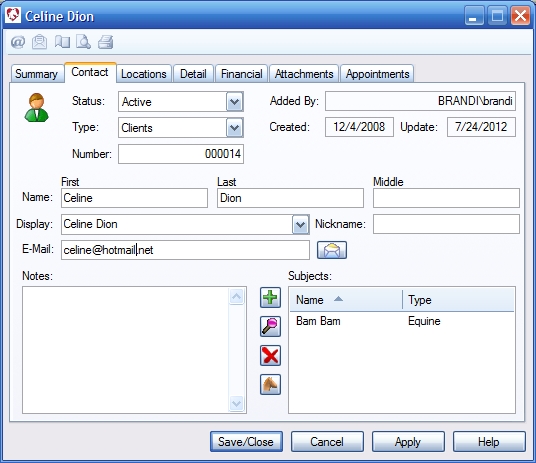
| Overview- Edit or view contact information.
Status- Select Active, Potential or inactive to further categorize your contacts. Inactive contacts are not shown on lookup menus. Type- Organize your contacts in various categories. Right click the down arrow to add or edit categories. Number- Computer generated or user editable. Added By- Computer generated - shows who created the record. Created- Computer generated - shows when the record was created. Update- Computer generated - shows when the record was last altered. First Name- First name of the Contact. Last Name- Last name of the Contact. Middle Name- Middle name of the Contact. Nickname- Nickname of the Contact. Display- Select a name or nickname to be displayed throughout the program. Email- The contact's email address. Email button- Open the default email client to prepare a new email Notes- Write detailed notes about the contact. |
 |
We collect information from you when you register on our site or fill out a form.
By using our site, you consent to our website privacy policy.