Roll cursor over data fields below for more info
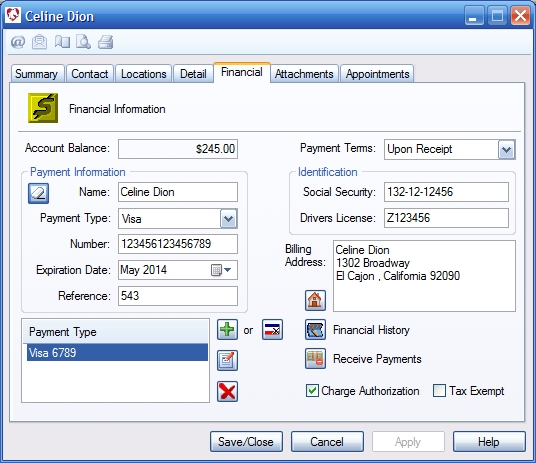
| Overview-Displays customer financial information.
Account Balance- Displays the customers current balance, taking into account all outstanding invoices and any credits that may be pending. Payment terms- Select the payment terms for this customer. Right click on the down arrow to add or edit terms. Payment information- Enter the customer's credit card information. Add New- Click to add new credit card or to save currently displayed card Charge- Use an integrated processor to save a new credit card for this contact. Requires optional online processing account. Contact ACESoft on how to purchase the service. Edit credit card info- Populates the dialog with information from the selected card for editing. Remove- Removes selected item from the list. Identification- Cardholder's identification. Billing address- Billing address associated with the selected credit card. Address- Select billing address for credit card from list of contact locations. Financial History- Opens customer register showing list of all transactions and a running balance. |
 |
We collect information from you when you register on our site or fill out a form.
By using our site, you consent to our website privacy policy.