Roll cursor over data fields below for more info
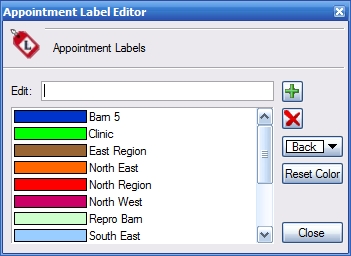
| Overview- The label editor enables you to color code your appointments. At a glance you can easily see similarities between appoinments on your schedule. Use it to color code regions in a mobile operation or perhaps use it to help identify different types of appointments.
Edit- Create a new label or edit an existing one. Add Button- Adds or updates a label to the list Remove Button- Removes a selected item from the list Alt + Up, Down keys- Moves a selected item up or down the list Color Selection- Select the color of the label Reset Color- Resets the color of the selected label Label List- Displays the current list of labels and their respective colors. |
 |
We collect information from you when you register on our site or fill out a form.
By using our site, you consent to our website privacy policy.