Close window [X]
Signup
Free Registration
Bookmark this site!
Subscribe
Index
Sitemap
Advance Search
Return
Home
What's New
Software
Hardware
Packages
Support
Ideas
Contact Us
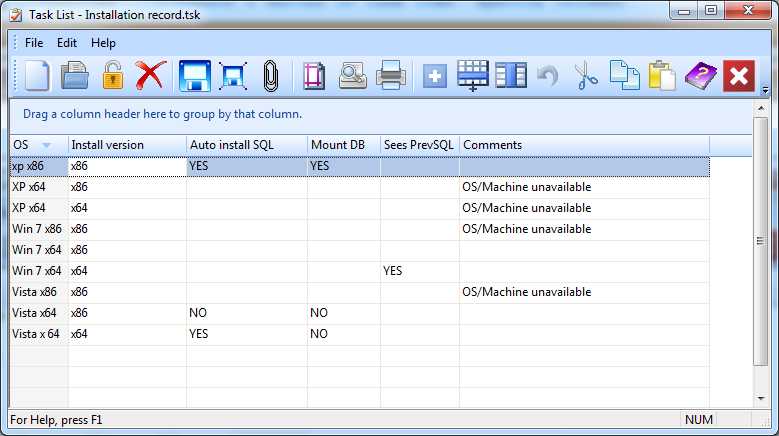
Task List Editor
Overview-
Create a series of task rows. Specify columns.
Toolbar
New-
Clear the form to begin a new list
Open-
Open an existing list
Lock-
Protect against future edit
Delete-
Delete the current list
Save-
Save the current list
Save As-
Save the current list under a different file name
Attach-
Attach the list to the parent record
Page Setup-
Change printer options such as margins or paper size
Print Preview-
View the list as it will appear in print
Print-
Print the list
Collapse/Expand-
If a column is grouped, toggle the collapsed state of the row
Add Task-
Add a task row
Add Column-
Add a task column
Undo-
Undo an edit change
Cut-
Cut material from the list
Copy-
Copy material from the clipboard to the list
Paste-
Paste material from the clipboard
Help-
Obtain help on a particular topic
Exit-
Clost the task list editor
Privacy Policy
We collect information from you when you register on our site or fill out a form.
By using our site, you consent to our website privacy policy.
Home
|
What's New
|
Software
|
Hardware
|
Packages
|
Support
|
Ideas
|
Contact Us
Copyright 2016 ACESoft Integrated Solutions. All Rights Reserved
XHTML
CSS
Designed by:
ACESoft